
585.204.6770
sale@sanblueplastics.com
Your Source for Trays!
Small businesses rarely lose time because a barcode is impossible to print. They lose it through smudged labels, incorrect dimensions, and unclear product records. barcode label sheets offer an accessible solution for shelves, mailers, storage bins, and small-batch inventory. The right sheet can turn a crowded stockroom into a more searchable workspace.
The need is practical. The Pitney Bowes Parcel Shipping Index reported approximately 159 billion parcels worldwide in 2022. Each parcel requires accurate identification somewhere in its journey. Meanwhile, GS1 emphasizes that reliable barcode performance depends on correct data, symbol selection, size, contrast, and placement. Printing a barcode is only one part of the process. A scanner still needs clean edges, strong contrast, and enough quiet space around the symbol.
This guide evaluates ten barcode label sheets for small businesses, focusing on material, adhesive strength, printer compatibility, sheet layout, and real handling conditions. We consider laser and inkjet printing, including common problems such as ink bleeding on uncoated paper. We also examine whether labels remain readable after friction, temperature changes, or repeated shelf movement. No sheet is perfect. A low-cost option may work beautifully for dry indoor storage but fail on cold packaging. That limitation matters. Recommendations should reflect the product, workflow, and environment, not just the package price. The final choices are informed by manufacturer specifications, recognized barcode standards, and practical usability. Still, every business should test a small batch before committing to a full case.
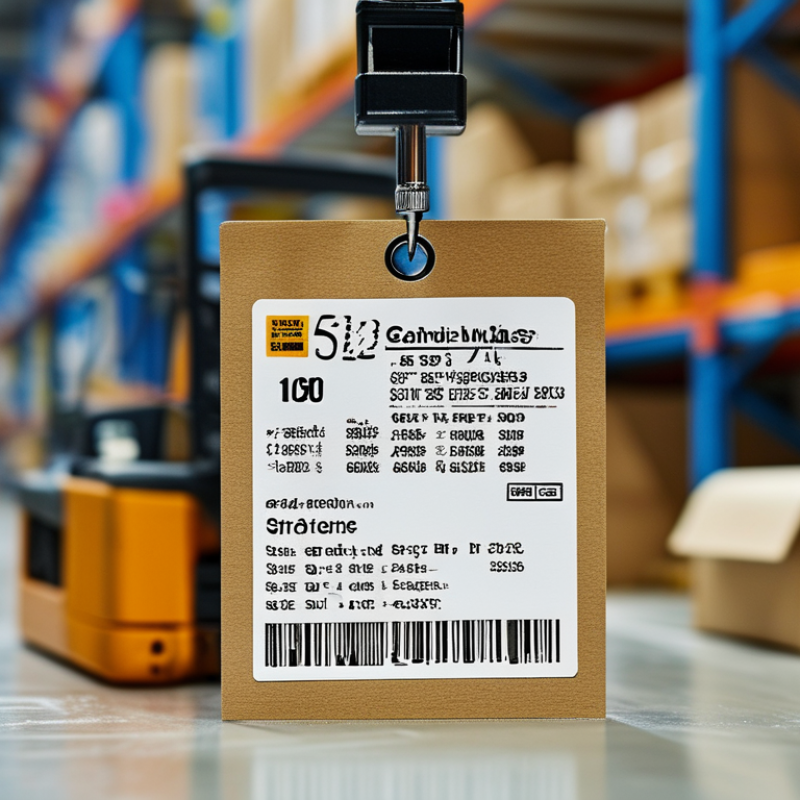
Barcode label sheets can help small businesses organize products without buying specialized equipment. Their value depends on fit, not appearance. Choose sheet dimensions that match your printer, storage bins, and scanning distance. A label that looks neat may still wrinkle on a curved jar. Test one sheet before ordering a large pack. Check whether your printer uses inkjet or laser technology. Some adhesives and coatings respond poorly to heat or moisture. This detail is easy to miss.
Use clear product codes, readable text, and enough white space around each barcode. Crowded labels may scan inconsistently, especially under warehouse lighting. Keep each code connected to a simple inventory record. Record the item name, variation, quantity unit, and reorder point. A spreadsheet can work for a small catalog. Larger lists need stronger controls and regular backups. Barcode formats should match your sales or inventory system. Do not assume every scanner reads every format. Test several printed labels with the actual device. Scan from normal working angles, not only straight on.
Material choice matters when labels face dust, cold storage, condensation, or frequent handling. Paper may suit dry shelves, while synthetic stock can offer better resistance. Adhesive strength also deserves testing. Too weak, and labels lift. Too strong, and containers become difficult to reuse. Leave room for batch dates or inspection marks when needed. I would not trust a sample that scanned perfectly once. Recheck after rubbing, stacking, and a day of storage. A rushed label rollout can create duplicate codes and confusing stock counts. That mistake is preventable, but it still happens.
10 Best Barcode Label Sheets for Small Businesses?
How to Choose the Right Barcode Label Sheet for Your Needs
Choosing a barcode label sheet starts with your printer, not the barcode design. Check whether your printer uses inkjet, laser, or thermal printing. Confirm the sheet size, label spacing, and margin requirements. A small mismatch can create blurred edges or misaligned prints. I once tested a sheet with narrow margins and lost several labels near the page border. Measure twice.
Your products and workspace also matter. For shelves, choose durable adhesive that handles dust and temperature changes. For temporary inventory bins, removable labels may be more practical. Select a label surface that keeps dark bars sharp and white spaces clean. Glossy sheets can reflect light during scanning. Matte surfaces often scan more consistently. Before ordering many packs, print one sample page and test it with your actual scanner. Check five different labels, not just one. A barcode that scans today may fail after handling.
Tips: Keep barcodes away from folds and seams. Leave quiet space around each code. Match label dimensions to your software template. Store unused sheets flat and dry. Read the material specifications carefully. Cheap sheets are not always economical. Your first choice may still need revision.
| Rank | Label Sheet Type | Label Size | Labels per Sheet | Recommended Printer | Material and Finish | Barcode Suitability | Best For | Key Selection Consideration |
|---|---|---|---|---|---|---|---|---|
| 1 | Standard Multipurpose Address Sheet | 2.625 × 1 in | 30 | Laser or inkjet | White, matte, permanent adhesive | Suitable for Code 128, Code 39, and compact retail barcodes when printed at high contrast | General inventory and shipping labels | Choose a template with accurate margins and sufficient blank space around the barcode |
| 2 | Medium Product Identification Sheet | 2 × 1.25 in | 30 | Laser or inkjet | White, matte, permanent adhesive | Provides additional height for human-readable product numbers and barcode text | Shelf products and stockkeeping units | Verify that the label height accommodates the barcode plus required quiet zones |
| 3 | Compact Asset Tag Sheet | 1.5 × 0.75 in | 80 | Laser preferred | White, matte, permanent adhesive | Works best with compact Code 128 or Code 39 symbols printed at an appropriate magnification | Small equipment, cables, bins, and office assets | Use only when the barcode scanner can read small symbols reliably |
| 4 | Large Warehouse Location Sheet | 4 × 2 in | 10 | Laser or inkjet | White, matte, permanent adhesive | Excellent for larger Code 128, Code 39, and two-dimensional barcode formats | Storage racks, shelves, cartons, and warehouse zones | Larger dimensions improve scanning distance and allow more operational text |
| 5 | Removable Inventory Sheet | 2.625 × 1 in | 30 | Laser or inkjet | White, matte, removable adhesive | Suitable for temporary Code 128 and Code 39 labeling applications | Seasonal goods, loaned equipment, and temporary stock | Test adhesion on the intended surface because removable adhesives vary by material |
| 6 | Durable Synthetic Barcode Sheet | 2 × 1 in | 30 | Laser compatible only unless specifically rated otherwise | Water-resistant synthetic film, permanent adhesive | Good for labels exposed to splashes, abrasion, or frequent handling | Workshops, kitchens, outdoor bins, and reusable containers | Confirm printer compatibility and allow toner or ink to fully set before handling |
| 7 | High-Visibility Color-Coded Sheet | 3.333 × 1 in | 30 | Laser or inkjet | Light-colored matte stock, permanent adhesive | Readable when the barcode area remains white or very light with strong black contrast | Priority items, department coding, and visual stock separation | Do not place colored backgrounds beneath the barcode bars unless scanner testing confirms readability |
| 8 | Perforated Barcode Ticket Sheet | 4 × 1.5 in | 20 | Laser or inkjet | White, matte, perforated stock; adhesive or non-adhesive options | Suitable for Code 128, Code 39, and QR codes with ample printing space | Pick tickets, service tags, and order identifiers | Perforations simplify separation but may reduce placement flexibility on narrow surfaces |
| 9 | Small Round Barcode Sticker Sheet | 1 in diameter | 63 | Laser or inkjet | White, matte, permanent adhesive | Best for short data strings and compact two-dimensional codes; long linear barcodes may not fit | Bins, samples, containers, and small retail items | Check the printable diameter and preserve a clear margin around the barcode |
| 10 | Full-Sheet Custom Barcode Stock | 8.5 × 11 in | 1 | Laser or inkjet | White, matte or synthetic, adhesive or non-adhesive | Supports large custom layouts, multiple barcode types, and variable data fields | Specialized packaging, oversized assets, and custom workflows | Requires accurate cutting or a compatible applicator after printing |
Selection note: For dependable scanning, use strong black-on-white contrast, preserve the barcode quiet zone, print at the correct size, and test the finished label with the scanner and surface used in daily operations.
Choosing the 10 best barcode label sheets for small businesses depends on daily handling, storage conditions, and printer compatibility. Standard white adhesive sheets suit office shelves, product bins, and simple inventory tags. Removable sheets work better for temporary pricing or seasonal stock. For cold storage, choose labels with moisture-resistant adhesive. Small items need compact sheets, while shipping cartons require larger, easily scanned formats. Matte surfaces usually reduce glare under warehouse lighting.
A practical selection should include durable polyester sheets, recyclable paper sheets, color-coded sheets, freezer-safe sheets, and high-contrast sheets. Direct thermal sheets are convenient for short-term labels, but their print may fade under heat or sunlight. Thermal transfer sheets usually last longer, although they require compatible ribbons. Check the label dimensions carefully. A small mismatch can waste an entire page.
Test before buying in bulk. Print twenty labels, scan them from several distances, and attach them to cardboard, plastic, and slightly dusty surfaces. I once trusted a strong adhesive that lifted from curved containers. That mistake caused repeated relabeling. No sheet is perfect. Consider barcode width, quiet zones, adhesive strength, surface texture, and storage temperature. Keep spare sheets flat and dry, because curled edges can jam printers. A reliable choice is the sheet that scans consistently, stays attached, and fits your workflow without unnecessary waste.
10 Best Barcode Label Sheets for Small Businesses?
How to Print and Apply Barcode Labels Correctly
A barcode sheet is only useful when scanners read it quickly. Before printing, confirm the label size, material, and printer compatibility. Laser printers suit coated office sheets, while thermal printers need compatible direct labels. Do not mix them casually. I once used a glossy sheet with weak toner, and several codes failed under warehouse lighting.
Export the barcode at its original size. Avoid stretching, compressing, or placing it across a label seam. GS1 General Specifications require clear “quiet zones” around each symbol. Leave enough blank space on every side. Print one test sheet first, then scan labels at different angles and distances. A barcode that looks sharp may still fail.
ISO/IEC 15415 rates two-dimensional print quality from 0 to 4. For practical work, aim for a verified grade of 3 or higher when your equipment supports it. Check contrast, edge clarity, and missing bars with a verifier or reliable scanner. Apply labels to clean, dry, flat surfaces. Press from the center outward to remove air pockets. Curved containers need smaller labels or flexible stock. Placement matters too; keep the code away from folds, corners, and reflective tape.
Leave a little margin. It prevents expensive reprints. Small businesses often skip verification because the first scan works. That decision deserves a second look. Steady lighting, consistent printer settings, and batch testing reduce avoidable scanning delays.
Typical label counts for common US Letter sheet formats. The best option depends on barcode size, printing volume, and the available space on the product or package.
These are common sheet-layout configurations; exact label counts may vary slightly because of margins, spacing, and template design.
Use the correct sheet template, set the printer scale to 100%, and turn off “Fit to Page.” Print one test sheet on plain paper first and hold it behind the label sheet to confirm alignment. Scan several printed barcodes before producing a full batch.
Apply labels to a clean, dry, smooth surface. Keep the barcode flat, avoid wrinkles and seams, and leave sufficient white space around the bars so scanners can read the symbol reliably.
Choosing among the 10 best barcode label sheets means checking more than price and sheet count. Adhesive failure is a common problem. Labels curl when storage rooms become warm or humid. Dusty cartons make the surface worse.
A practical fix is simple. Clean the carton, let it dry, and press the label firmly for ten seconds. Select permanent adhesive sheets for corrugated boxes. Use removable adhesive for reusable bins.
Ink smearing often comes from incompatible paper and printer settings. Test one sheet first. Print a small barcode batch, then scan every label from several angles. It feels slow, but one unreadable label can delay picking.
The 2023 Global Warehousing Study reported that 73% of warehouse decision-makers needed modernization to meet operational demands. It also found that 58% planned RFID adoption by 2028. These figures show why dependable barcode sheets still matter during gradual upgrades.
ISO/IEC 15416 testing adds a stronger quality check than visual inspection alone. Check contrast, quiet zones, edge sharpness, and print alignment. A misaligned sheet can waste labels and create printer jams.
Honestly, choosing the cheapest stock can be a false saving. Small businesses should record failures by printer, surface, humidity, and batch. That record may reveal an overlooked pattern.